30% of your revenue happens while you sleep
Founders don’t buy software during business hours, they buy software when it’s most convenient for them. That often happens after hours at 9 pm, 12 am, or even
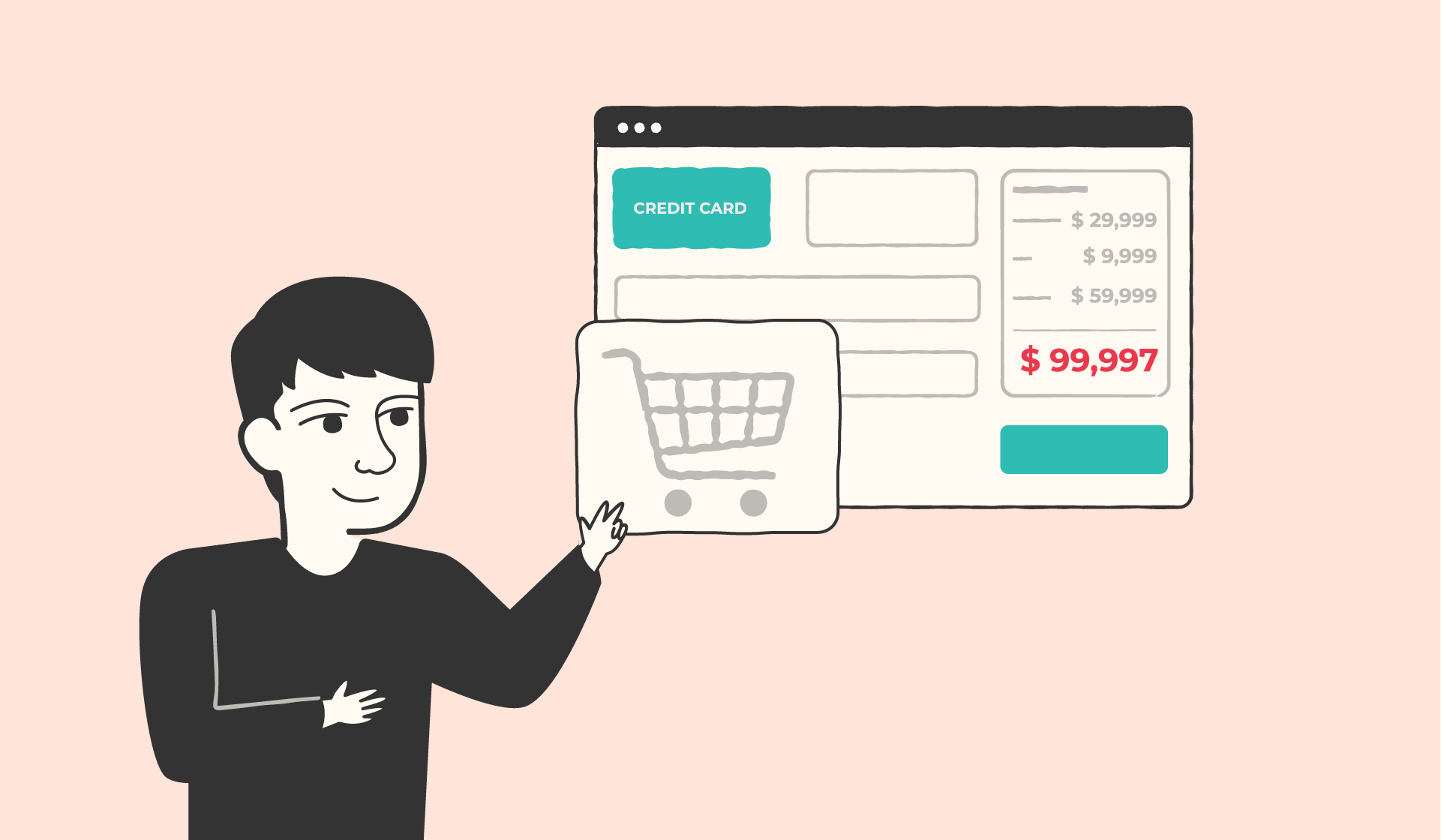
A B2B checkout process is the set of steps a business buyer goes through to complete an online purchase. And in B2B, that usually means more than typing in a card number. There are purchase orders, approval chains, negotiated pricing, net terms, tax exemptions, and sometimes a contract sitting behind the order itself.
The problem is that many companies try to power all of this with a checkout flow designed for sneakers and streaming subscriptions. B2C checkouts are built for speed and impulse. B2B checkouts are built for accountability and credit risk. When you use the wrong blueprint, friction shows up fast.
What follows is a step-by-step look at how a modern B2B checkout process actually works, what features matter at each stage, and where deals tend to stall – even when the buyer fully intends to purchase.
The major differences between B2B and B2C checkout flows come down to structure. Consumer checkout is optimized for speed. B2B checkout is built around procurement compliance, multi-stakeholder accountability, and credit risk.
Across fourteen industries, the average conversion rate sits at 2.9%. B2B ecommerce consistently falls below that benchmark. The ceiling is naturally lower because the checkout’s job isn’t to create impulse. It’s to avoid losing buyers who already intend to purchase but must navigate internal rules before money moves.
Below, these four structural differences explain why B2B checkout cannot run on a B2C template.
In B2C, anyone can browse, see pricing, and check out immediately. That works because pricing is universal. In B2B, it rarely is - and that distinction matters more than it might appear.
A buyer arriving without authentication isn't just unverified; it's fraudulent. They're seeing the wrong numbers. Contract-specific rates, credit limits, approval thresholds, and tax exemptions are all tied to a specific account. Without verification first, the price on screen is either an estimate or a public list rate - neither of which reflects what that buyer has actually agreed to pay.
A consumer shops alone. A business rarely does - and that's not a minor operational quirk. It's a fundamental incompatibility with how single-user checkout flows are built.
A majority of B2B buyers involve at least four stakeholders in technology purchasing decisions. A junior buyer may add items to the cart. Procurement checks compliance. Finance signs off on the spend. Each handoff requires the order to hold state while a different stakeholder reviews it. Without role-based permissions and approval routing built into the checkout itself, that process moves immediately to email threads and spreadsheets - where deals slow down or quietly disappear.
B2C assumes card payments. B2B assumes credit. That distinction matters because it isn't a preference - it's how businesses are financially structured.
Most B2B transactions run through trade credit, ACH, wire, or check. Net 30, 60, or 90 terms reflect accounts payable cycles that exist for real operational reasons. ACH alone processed $54.2 trillion in B2B transactions in one year. A checkout built around card-first logic doesn't just create friction - it blocks the payment methods most business buyers are set up to use.
Consumer orders are product-based. B2B orders are agreement-based. That's not a complexity upgrade - it's a different category of transaction entirely.
A B2B order often carries negotiated rates, volume tiers, tax exemptions, department codes, multi-location shipping, and custom terms - none of which a standard cart can hold cleanly. In SaaS, especially, the order is the contract. The quote, legal language, and payment authorization don't occur in sequence; they happen together in a single coordinated motion. A checkout that treats each line item as an independent product rather than as part of a broader commercial agreement breaks at the first edge case.
That structural gap is why B2B checkout must be designed differently from day one. The surface may look similar. The mechanics are not.
If you strip away the design and branding, every high-performing B2B checkout follows the same underlying sequence. The order matters. Skip a step or put them in the wrong order, and friction shows up immediately.
Here’s how it works:
In B2B, login usually comes before the cart.
Each buyer sees contract-specific pricing, credit eligibility, and account rules tied to their company profile. An unauthenticated visitor cannot see accurate pricing because pricing is rarely universal.
Authentication is what unlocks the rest of the experience. Without it, everything that follows is guesswork.
Once logged in, the system verifies the account behind the user.
A silent background credit check determines whether the buyer qualifies for net terms and what their credit limit is. This step isn’t flashy, but it shapes the entire payment experience later.
What happens here directly determines which payment options are available in Step 5.
Now the buyer builds the order.
In B2B, this isn’t just adding a single SKU to a cart. It often includes bulk ordering, quantity breaks, and customer-specific pricing that applies automatically based on contract terms.
You’ll also see B2B-specific fields appear here: department codes, project references, requested delivery dates, and saved order templates for repeat purchases. These fields aren’t cosmetic. They’re required for internal reporting and approval.
At this stage, pricing must reflect reality.
Not a public price list. Not an estimate. The actual negotiated rates tied to that customer’s agreement. Volume discounts, tiered pricing, tax treatment, and applied credits should all be visible.
Transparent breakdowns reduce friction. Showing unit price, quantity discount, tax, and total clearly prevents the classic surprise at the final step that stalls deals.
This is where net terms and purchase orders function inside an online checkout.
Based on the credit decision in Step 2, the buyer may see options such as Net 30, Net 60, or Net 90. They may be required to enter a purchase order number. They may choose ACH, wire transfer, invoice-based billing, or card.
If there’s no PO field when procurement requires one, accounts payable won’t release payment. The order doesn’t fail because of intent. It fails because the system didn’t match the internal process.
Not every order requires approval routing, but when it does, it must be built in.
Order value, category, or selected terms can trigger routing to procurement or finance. The order should move into a draft or pending state, not disappear. The buyer needs visibility into the order status: submitted, under review, approved, rejected.
This is the role of approval workflows in B2B purchasing. They maintain control without killing momentum.
Once approved and finalized, the order is submitted.
Tax exemptions are validated. The order data flows into back-office systems such as ERP, accounting, or CRM. Confirmation notifications go to all relevant stakeholders, not just the person who clicked submit.
A strong B2B checkout doesn’t end at confirmation. It hands clean, structured data downstream automatically.
That sequence – authentication, verification, configuration, pricing, payment, approval, submission – is what separates a B2B checkout that closes smoothly from one that quietly leaks revenue.
When B2B buyers abandon at checkout, it's rarely a change of mind about the product. Intent is there. The problem is that a checkout built on consumer assumptions collides with procurement rules that the buyer has no authority to override. The same four failure points appear consistently when B2B purchasing requirements get forced into a flow that was never designed for them.
Most B2B checkout flows are still designed as if every buyer is happy to pay by card. They’re not. Trade credit, bank transfer, and invoice-based billing are the norm. B2B buyers show a clear pattern: a large majority will abandon a purchase if the payment terms they rely on aren’t available at checkout. When there’s no way to request net terms, enter a PO number, or pay by their preferred method, the buyer doesn’t argue – they simply take the deal somewhere else.
Long, complicated checkout flows are another silent killer. Research on ecommerce usability finds that nearly one in five shoppers have abandoned an order purely because the checkout was too long or confusing, and the average checkout shows almost 40% more form fields than best practice recommends. That’s usually an architectural problem: a B2C template trying to carry B2B requirements it wasn’t designed for, so every internal field ends up exposed to the buyer.
In B2B, “Submit order” is often just the start of an internal approval chain. When the platform doesn’t support in-checkout routing, orders disappear into email threads with no visible status. The buyer has no idea whether procurement has seen it, finance has approved it, or if they need to do something else.
Finally, pricing itself can cause abandonment. If the price shown during checkout doesn’t match what the buyer expects from their contract – missing discounts, incorrect tiers, wrong tax treatment – trust breaks immediately. At that point, even a small discrepancy can be enough to pause the order while someone “checks it offline,” which often means it never comes back.
B2B checkout is rarely simple. Pricing is negotiated, approvals are layered, and buyer roles differ. The goal isn’t to remove complexity – it’s to manage it without overwhelming the buyer. Research shows that better checkout design alone can drive a 35.26% increase in conversion rate - and that the average site has 39 identifiable areas for improvement. In B2B, that upside is even larger because the friction is structural, not just cosmetic. In B2B, that friction compounds.
Instead of presenting every possible field upfront, reveal inputs conditionally based on buyer type, order value, or account status. A CFO doesn’t need the same view as an operations manager, and a renewal shouldn’t look like a net-new contract. A single-page flow with conditional visibility keeps the experience streamlined while preserving necessary compliance and data capture.
Authentication should happen early because it unlocks personalization. Pre-fill billing details from account profiles, apply saved pricing templates, and enable one-click reorders for repeat buyers. When buyers see familiar information already in place, perceived effort drops dramatically.
Many B2B approvals happen on a phone between meetings. If approving a deal requires pinching, scrolling endlessly, or downloading attachments, it stalls. One-tap approve or reject options with full pricing context visible on a single screen prevent deals from sitting in limbo – especially on smaller devices where every extra step increases abandonment risk.
Unlike consumer checkout, it rarely ends with “enter card details.” It often involves negotiated pricing, contract terms, approvals, invoice-based billing, and tax validation. In many cases, what looks like a checkout is actually the final stage of a commercial agreement.
The tension is that most digital checkouts were originally designed for B2C. But B2B buyers behave differently. In fact, 61% of B2B buyers say they prefer a rep-free buying experience. They want to move independently, yet still operate within procurement rules and internal controls.
When checkout flows are built on consumer assumptions, friction shows up at the exact moment the deal should close.
The B2B SaaS checkout process is fundamentally different: the 'cart' is actually the quote, and the moment of customer commitment isn't procurement routing – it's the signature.
Salesbricks provides a unified B2B checkout process through a single URL. Buyers use one link to review the quote, access the full commercial terms, e-sign the agreement, and finalize the payment. This removes the need for separate steps like a PDF contract, a DocuSign email in a different thread, or a payment link sent "right after this."
For Tribble, this replaced a manual process of generating order forms and sending versioned drafts back and forth over email. Each round of edits introduced delays and risk. With Salesbricks, those documents are bundled into one cohesive, professional buying experience.
“Showing up professionally and being easy to do business with is a competitive differentiator.”
– Tribble’s COO Ray Shipley.
When quote, signature, and payment live in one controlled environment, procurement friction drops and momentum stays intact.
That’s the core of B2B SaaS checkout done right: one URL, one flow, one motion from agreement to cash.
In SaaS, the pricing for a live deal is rarely static. Changes can occur with seat count, estimated usage, and approved discounts. The real threat to deal momentum is not the negotiation itself, but the confusion that arises from different contract versions.
Salesbricks keeps the buyer inside a single live link where pricing updates in real time as the seller makes adjustments. There’s no “v3_final_revised.pdf” floating around in someone’s inbox. The buyer always sees the current structure, the current totals, and the current terms in one controlled environment.
That eliminates a surprisingly common source of friction: mismatched numbers between the quote, the contract, and the payment request.
Once pricing is finalized, the buyer can move directly to payment within the same flow. Salesbricks supports ACH, credit card, and wire, along with invoice-based billing for companies that prefer to pay on terms.
The result is simple: fewer document loops, fewer payment handoffs, and fewer deals that stall because someone wasn’t sure which version was the real one.
Closing the deal is only half the battle. If your reps are celebrating in Slack while finance is manually recreating the invoice in QuickBooks, something’s broken.
Salesbricks connects directly with Salesforce, HubSpot, QuickBooks, and Stripe, so the moment a deal closes, the data is already where it needs to be. The opportunity updates in your CRM. Billing records sync to accounting. Payment status isn’t something someone has to “check later.”
Think of it this way: Stripe is the card reader. Salesbricks is the point-of-sale system running the whole transaction.
You probably already use Stripe. Keep using it. Salesbricks sits in front of it, handling everything the card reader can't: the pricing, the packaging, the contract, the e-signature, the custom terms. When your buyer hits pay, Stripe handles the charge. Everything that got you to that moment? That was Salesbricks.
Pricing, packaging, ramping, custom terms, e-signatures, mid-flight upgrades – that all happens inside Salesbricks. When the buyer hits pay, Stripe handles the transaction. Clean separation of roles.
That’s what “graduating from Stripe” really means. Not replacing it. Building on top of it.
When you move from simple payment links to negotiated SaaS contracts, you need more than a card processor. You need a structured way to shape, approve, sign, and collect on deals – without turning your revenue process into a patchwork of tools and spreadsheets.
If you run a B2B ecommerce operation, take a hard look at your checkout against the seven-step model above. Missing authentication, limited payment terms, unclear approvals, or misordered steps are usually the real source of abandonment. Fix the sequence and conversion improves.
If you’re a SaaS founder stitching together quoting tools, PDFs, e-signatures, and payment links, that’s not a sales problem. It’s a checkout problem, and checkout problems need checkout solutions.
Ready to simplify the final mile of your sales cycle? Book a demo with us today.