30% of your revenue happens while you sleep
Founders don’t buy software during business hours, they buy software when it’s most convenient for them. That often happens after hours at 9 pm, 12 am, or even
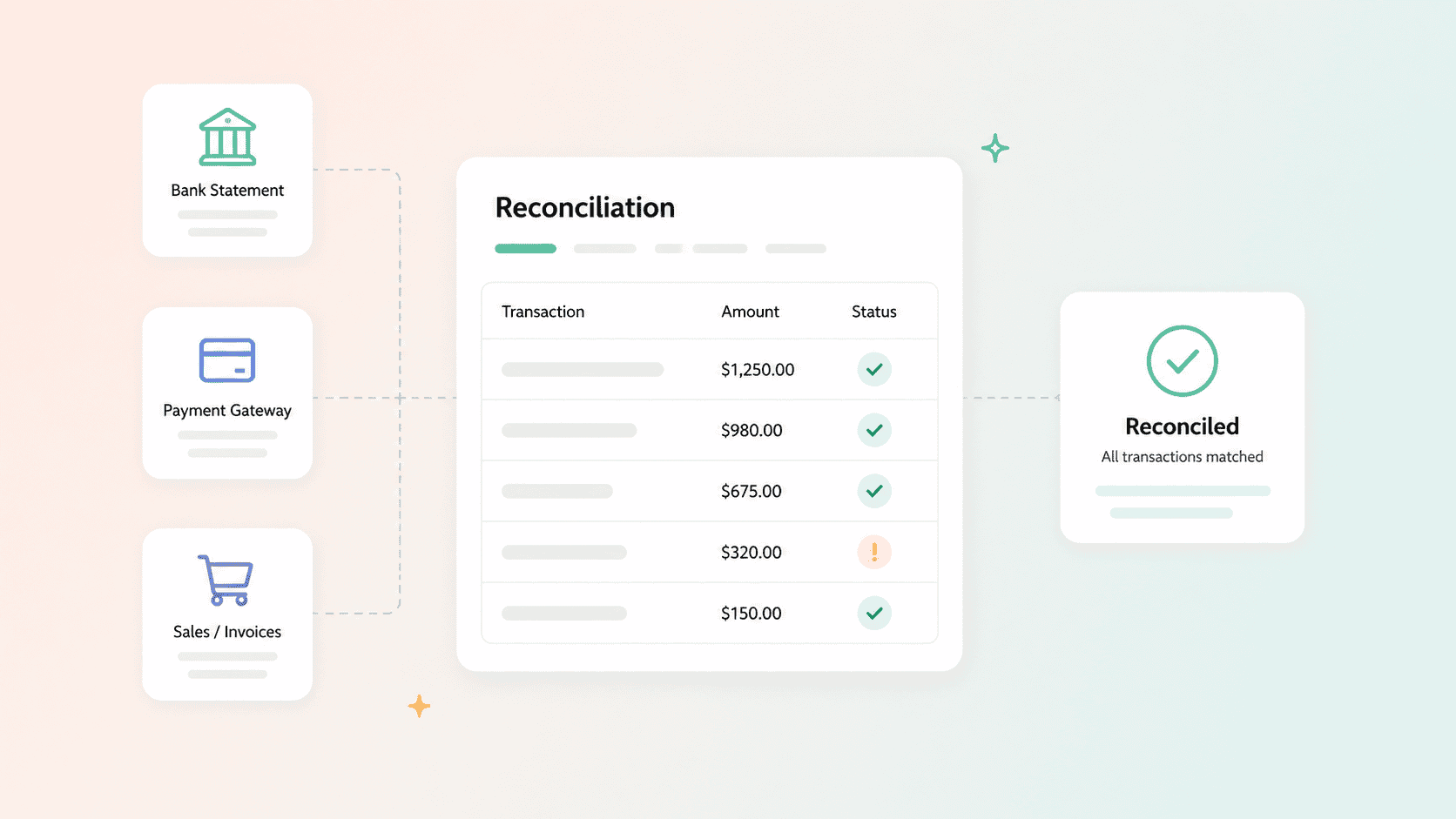
Month-end gets messy when payments don’t all follow the same path. A few customers paid by ACH, others paid through Stripe, and there’s an invoice you can’t immediately match to anything in the bank. The totals are pretty close, but they’re not right.
Why?
Payment reconciliation is how you answer that. It’s the process of checking the payments you’ve recorded against your bank and payment processor records to make sure the money you expected is the money you actually received.
The problem is that this gets tedious quickly when invoices, payment details, and bank transactions live in different places. Among UK SMEs that reported manual reconciliation as a problem, businesses spent an average of 3.6 hours a week manually reconciling payments.
We’ll cover how payment reconciliation works, the main types, how often to do it, where discrepancies come from, and when it makes sense to move beyond spreadsheets.
Payment reconciliation is the process of comparing your internal records with data from your bank and payment processor to make sure every payment is accounted for.
If an invoice says a customer paid $10,000, reconciliation checks that the payment was actually processed and the corresponding funds reached your bank. When the numbers don’t match, you can find out whether you’re looking at a processing fee, timing difference, refund, duplicate charge, missing payment, genuine error, or signs of fraud.
This is different from payment settlement. Settlement is the movement of the money itself. Reconciliation is the check that what moved matches what your records say should have moved.
For SaaS businesses, the important part isn’t simply proving that $10,000 arrived. It’s knowing which customer, invoice, contract, and subscription that $10,000 belongs to. That connection is what keeps revenue records trustworthy as billing gets more complicated.
The main types of payment reconciliation include accounts receivable, bank, subscription or revenue, accounts payable, credit card, and payroll reconciliation. For most SaaS businesses, accounts receivable and bank reconciliation are the ones that matter most day to day.
Accounts receivable (AR) reconciliation checks whether customer payments match the invoices you’ve issued. If an invoice is marked paid, there should be a corresponding payment to prove it.
Bank reconciliation compares the transactions in your accounting records with what actually appears in your bank account. This gives you the final check that money made it where it was supposed to go.
Subscription or revenue reconciliation is particularly relevant to SaaS. It checks recurring charges against the customer’s subscription, including renewals, upgrades, downgrades, prorations, and other changes that can affect what should have been billed.
Other common types include accounts payable reconciliation for money you owe suppliers, credit card reconciliation for company card transactions, digital wallet reconciliation for platforms like PayPal, and payroll reconciliation for wages, taxes, and deductions.
Payment reconciliation and bank reconciliation aren’t the same: bank reconciliation checks what appears in your bank account, while payment reconciliation follows each payment across every system involved in collecting it.
A SaaS business generally needs both. A processor might combine dozens of customer payments, refunds, and fees into a single bank deposit. The bank statement tells you the money arrived; payment reconciliation tells you what that money was actually for.
To reconcile a payment, gather and normalize your records, match each payment to its invoice, flag and investigate any discrepancies, record fees and adjustments, and document what you find.
Imagine Stripe deposits $9,412 into your bank on Thursday. Your records show four invoices paid that week, totaling $10,000. The bank only shows the deposit, so you need to confirm what went into it and explain the $588 gap.
1. Gather your records: Pull the relevant invoices and accounting records alongside Stripe’s payout reconciliation report and your bank statement. You need both sides of the transaction before you can compare them.
2. Normalize the data: Make sure dates, amounts, currencies, and transaction references use consistent formats. A payment processed on Tuesday but deposited on Thursday shouldn’t immediately be treated as an error.
3. Match the payments: Work through the payout and connect each customer payment to the corresponding invoice. The goal is to account for everything included in the deposit.
4. Flag anything that doesn’t match: You might find an invoice with no corresponding payment or a payment that falls outside the payout period. Separate these exceptions rather than forcing the numbers to balance.
5. Investigate the difference: Check whether refunds, failed payments, settlement timing, or other exceptions explain the gap. Trace the discrepancy back to the relevant transaction before making any changes to your records.
6. Record fees and adjustments: Account for processor fees, refunds, chargebacks, or other adjustments that explain why the amount deposited in your bank differs from the amount customers paid. In the example above, $290 in Stripe fees and a $298 refund account for the full $588 difference.
7. Document what you found: Record any legitimate timing differences or other exceptions before closing the reconciliation. That way, you don’t waste time investigating the same discrepancy again next month.
The important part is being able to explain every difference between what you billed, what customers paid, and what reached your bank.
Most businesses reconcile payments monthly, weekly, or daily, depending on how many payments they process and how costly it would be to leave a mistake unnoticed.
Monthly reconciliation may be enough for a lower-volume business. As transaction volume increases, weekly or daily checks make more sense because discrepancies are easier to investigate while the details are still fresh.
A useful rule is: reconcile often enough that fixing a discrepancy is routine, not a month-end investigation.
If you’re regularly spending hours at month-end tracing missing payments, unexplained deposits, or old invoices, increasing the frequency can help. But if doing that manually means even more spreadsheet work, the problem may no longer be your reconciliation schedule. It may be the process itself.
Payment reconciliation gets harder as you grow because the common causes of mismatches, including multiple payment methods, subscription changes, failed payments, refunds, and disconnected systems, all multiply with volume.
One customer pays by ACH. Another pays by card. Someone upgrades halfway through a billing period. A failed payment gets retried three days later. Another customer receives a refund. Each event creates another record that has to match the right invoice, customer, and subscription.
That’s where spreadsheets start to struggle. They can help you compare records, but they don’t create a single source of truth. Someone still has to pull data from the billing system, payment processor, bank, and accounting software and work out why something doesn’t match.
In a lot of SaaS teams, that turns into a monthly reconciliation meeting where finance, sales, and ops go line by line through CRM deal values and Stripe amounts to agree which number is right.
Failed payments make this particularly messy. Retries can create delayed records and timing differences, while unsuccessful recovery can turn into involuntary churn. Even basic retry schedules can recover roughly 50–60% of failed transactions, making accurate tracking important beyond bookkeeping.
Using a payment processor as the billing core tells you what money moved, but not necessarily the full commercial context behind it: what was sold, at what price, under which terms, and what should happen at renewal.
Spreadsheets can handle payment reconciliation when you have a manageable number of payments, use one processor, and only need to reconcile periodically. They give you a straightforward way to compare invoices, payments, and bank records and flag anything that doesn’t match.
Reconciliation software becomes more useful when that manual matching starts to break down. If you need daily reconciliation, collect payments through multiple systems, or regularly spend hours investigating exceptions, a spreadsheet can become the bottleneck. Dedicated reconciliation tools can automate much of that matching, but they do it after the fact.
For SaaS businesses, though, there’s another question worth asking: why are there so many discrepancies to reconcile in the first place?
Sometimes the problem starts further upstream. If the quote lives in a document, the contract somewhere else, billing in another system, and payments in Stripe, reconciliation is left to connect records that were never connected to begin with.
That’s where a quote-to-cash system like Salesbricks comes in. Salesbricks connects quoting, billing, and payment collection, so every payment it collects is already tied to the customer, invoice, contract, and subscription it belongs to.
Think of Stripe as the card reader and Salesbricks as the point-of-sale system. Stripe processes the payment; Salesbricks keeps track of what was sold, to whom, under what terms, and what should be billed.
Bounti.ai ran into exactly this when its Salesforce CRM and Stripe payments operated separately, leaving its team to manually transfer and reconcile data between the two. After implementing Salesbricks, Bounti connected its CRM and payment data in one workflow, reducing manual work and creating a more consistent view of customer and revenue data.
Good reconciliation gives you confidence that what you sold, what you billed, and what you collected all agree. That protects cash flow, keeps your revenue data trustworthy, and makes audits or financial reviews far less painful.
But reconciliation shouldn’t have to compensate for a fragmented billing process.
Salesbricks is one system for SaaS quoting and billing: quotes, contracts, subscriptions, invoices, and payments stay connected, so the commercial context behind each transaction doesn’t have to be pieced together after the fact.
Fixing billing at the source beats chasing discrepancies later. See how Salesbricks handles SaaS quoting and billing.